



Think about the last time you watched a really good movie. It had a beginning that pulled you in, a middle that built up the story, and an ending that made sense of everything that came before it. Now imagine watching just the last five minutes of that movie without any context. You'd probably feel confused about who the characters are and why anything happening on screen matters.
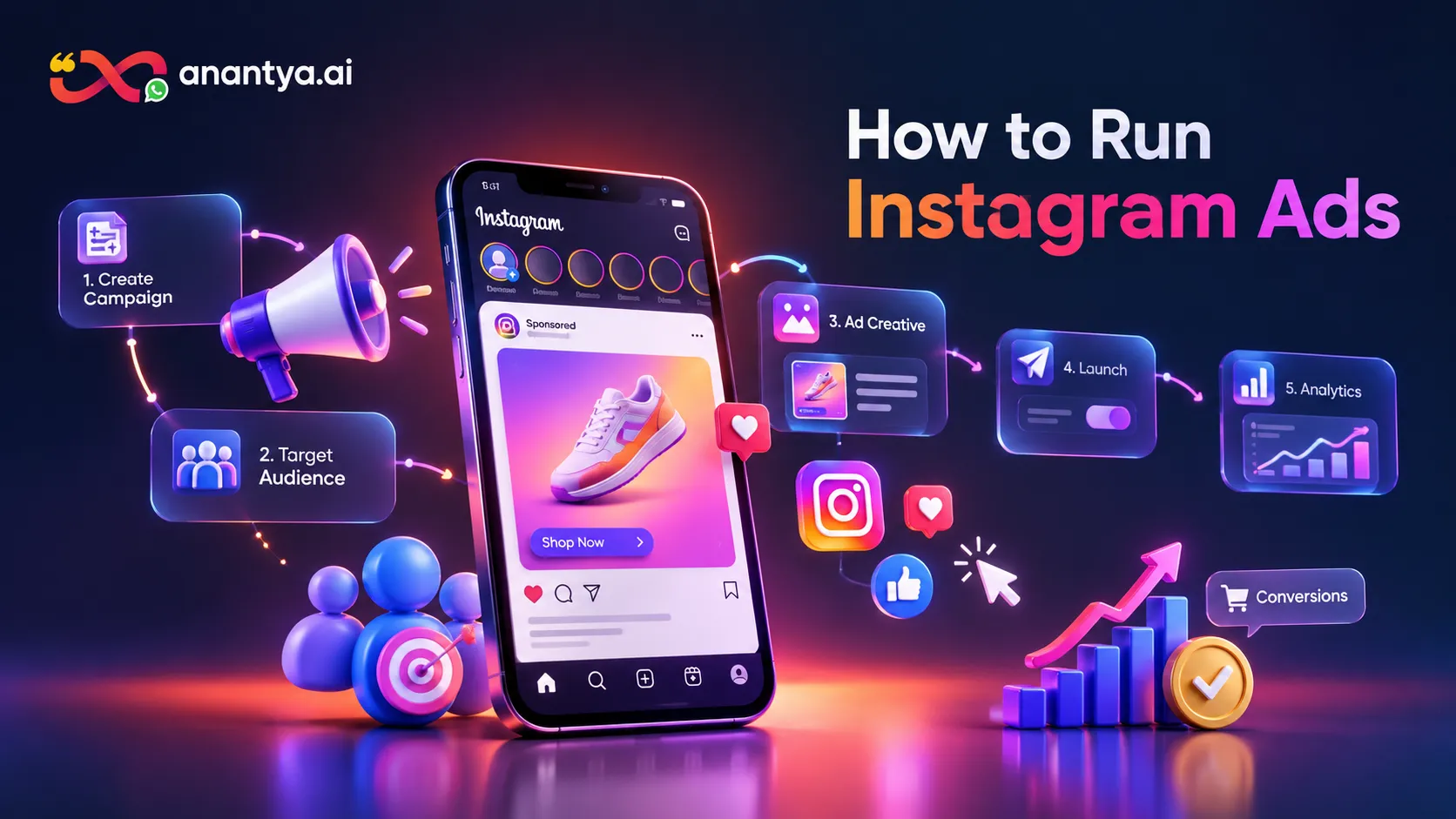
Running an Instagram ad works the same way. Most beginners treat it like the last five minutes of the movie they upload a picture, write a caption, hit "Boost" or "Publish," and hope for the best. But a real Instagram ad campaign has a beginning, a middle and an end, and each part depends on the one before it. It starts with a business goal, moves through competitor research, account setup, connecting Facebook and Instagram, choosing the right settings inside Meta Ads Manager, picking an audience and a budget, building the actual creative, and finally launching, watching the numbers and improving the campaign over time.
This guide walks you through that entire journey. If you have never touched Instagram advertising before, by the end of this article you will understand how to run Instagram ads from absolute zero right up to analyzing your first campaign's results and making it better. Let's start at the very beginning.
What Are Instagram Ads and How Do They Work?

An Instagram ad is simply a paid post that Meta (the company that owns Facebook and Instagram) shows to people who did not necessarily choose to follow your account. When you post normally on Instagram, only your existing followers and only some of them, depending on the algorithm see your content. That's called organic reach, and it's free but limited.
An ad is different. You pay Meta to place your content in front of a specific group of people, whether or not they follow you. This is what makes advertising powerful for businesses that are just starting out or trying to reach beyond their existing audience.
Instagram ads can show up in several places: the main Feed, Stories, Reels, the Explore page, and a few other spots depending on how the campaign is set up. Behind the scenes, all of this runs through Meta's advertising system, which also powers Facebook ads. That's an important point to understand early Instagram and Facebook advertising are not two separate systems. They live inside the same platform, share the same account structure, and are managed from the same place.
Here's a simple example. Imagine a jewellery business based in Delhi that wants to reach women aged 22 to 40 in Delhi, Mumbai and Bengaluru who are interested in fashion and accessories. Posting organically might reach a few hundred existing followers, most of whom already know the brand. Running an Instagram ad lets that same business put its products directly in front of thousands of people in those exact cities who match that age group and interest people who may have never heard of the brand before.
It's worth being honest here: Instagram ads don't guarantee sales or followers. What they do is give business control over who sees their message, when, and how often. What happens after that whether someone buys, enquires or scrolls past depends on a lot of other factors we'll get into. Once you understand this basic idea, learning how to run Instagram ads becomes a lot less intimidating, because you're really just learning how to control who sees your message.
How to Run Instagram Ads — What Do You Need Before You Start?

Before you open Meta Ads Manager and start clicking buttons, there are a few things you need to have ready. Understanding how to run Instagram ads properly starts with getting these basics in place, because skipping them is the number one reason beginners get stuck halfway through setup.
Here's a checklist:
A Facebook account (personal login used to access Meta's tools)
A Facebook Page for your business
An Instagram account
An Instagram Professional (Business or Creator) account, where relevant
A Meta Business account, sometimes called a business portfolio
Access to Meta Ads Manager
An ad account inside Ads Manager
A valid payment method
Basic business information (name, category, website if you have one)
A website or landing page, if your goal involves driving traffic or sales
Creative material — images or videos you plan to advertise
Ad copy — the text that will accompany your ad
A rough idea of who your target audience is
Each of these connects to the other. Your Facebook Page connects to your Meta Business account. Your Instagram account connects to that same Page. Your ad account sits inside your Meta Business account and is what actually spends money and runs the ads. None of these pieces work well in isolation — they're designed to work together, and that's exactly why the next few sections walk through setting each one up in order.
How to Create a Facebook Account for Instagram Advertising
If you don't already have a Facebook account, this is where everything begins, even though your ads will ultimately appear on Instagram.
Go to Facebook and create a personal account, or log into an existing one.
Fill in basic profile details this account acts as your login identity for Meta's business tools.
Create a Facebook Page for your business. This is different from your personal profile; it represents your brand, not you as an individual.
Add business details to the Page category, description, contact information, and a profile photo or logo.
Add any additional team members or admins who need access, if applicable.
A lot of beginners get confused about the difference between these accounts, so here's a simple breakdown:
Personal Facebook account — Your individual login used to access Meta's tools.
Facebook Page — A public profile representing your business on Facebook.
Meta Business account (business portfolio) — A central hub that organizes your Pages, ad accounts and Instagram accounts together.
Meta Ads Manager — The tool used to create, run and manage ad campaigns.
Ad account — The specific account inside Ads Manager that holds your payment method and ad spend.
Keeping these separate in your mind will save you a lot of confusion later.
How to Create an Instagram Business Account
Next, you need an Instagram account set up correctly for advertising.
If you don't have an Instagram account yet, create one through the Instagram app.
Go into your account settings and switch to a professional account. Instagram will usually ask you to choose between a Business account and a Creator account.
For most businesses running ads, a Business account is the more suitable option, though a Creator account can also work depending on your setup.
Add your business information category, contact details, and a bio that clearly explains what you offer.
Connect this Instagram account to the Facebook Page you created earlier.
This connection matters because Meta's advertising tools need to know which Instagram account belongs to which business before they can run ads on its behalf.
How to Connect Instagram to Facebook and Meta Business

This step trips up a surprising number of beginners, so it's worth slowing down here.
To connect your accounts:
Go into your Facebook Page's settings and look for the option to link an Instagram account.
Log into the Instagram account you want to connect when prompted.
Inside your Meta Business account, add the Instagram account to your business portfolio so it's associated with the same business as your Page and ad account.
Grant the necessary permissions when asked this allows your ad account to publish ads using that Instagram profile.
Double check inside Meta Business settings that the Instagram account shows up as connected and that the correct people have access.
Common connection problems and fixes:
Instagram account not showing up: Make sure you're logged into the correct Instagram account and that it has been switched to a professional account.
Facebook Page not showing up: Confirm you're an admin of the Page and that you're using the same Facebook login used to create it.
Missing permissions: Check the roles and permissions section inside Meta Business settings and make sure your account has the required access level.
Wrong business account connected: If you manage multiple businesses, verify you're working inside the correct business portfolio.
Account not properly linked: Sometimes disconnecting and reconnecting the Instagram account resolves sync issues.
Meta updates its interface fairly often, so exact menu names and navigation paths can shift over time. If something looks slightly different from what's described here, the underlying logic Page connects to Instagram, both connect to a business account still applies.
What Is Meta Ads Manager and Why Do You Need It?

Meta Ads Manager is the control room for everything related to running ads on Instagram and Facebook. It's where you build campaigns, choose your audience, set your budget, upload creative, and track how your ads are performing.
It's often confused with Meta Business Suite, but they serve different purposes. Business Suite is more focused on day to day management posting content, replying to messages, and light promotion. Ads Manager is built specifically for serious campaign creation and detailed advertising control, with far more options for targeting, budgeting and optimization.
Inside Ads Manager, every campaign follows a three level structure that's important to understand before you build anything:
Campaign = What is your goal? This is where you choose your objective awareness, traffic, leads, sales, and so on.
Ad Set = Who should see the ad, where, and how much will you spend? This is where the audience, placement, budget and schedule live.
Ad = What will the customer actually see? This is the actual creative the image, video, text and call to action.
Think of it like planning an event. The campaign is the purpose of the event (a birthday party). The ad set is the guest list, venue and budget. The ad is the invitation card people actually receive. Getting this structure clear in your head makes everything else in Ads Manager much easier to follow.
How to Set Up Meta Ads Manager for Instagram Ads
Once your accounts are connected, it's time to set up Ads Manager itself.
Access Meta Ads Manager through your Meta Business account.
Create a new ad account, or select an existing one if you already have one set up.
Choose your currency and time zone carefully these settings usually cannot be changed later without creating a new ad account, so get them right the first time.
Add a valid payment method.
Check your account status to confirm it's active and in good standing.
Fill in your business information, including address and tax details where required.
Assign access and permissions to any team members or partners who need to work inside the account.
Currency and time zone deserve extra attention because they directly affect your budget and reporting. If your time zone is wrong, your daily budgets and scheduled ads may not run when you expect them to. Getting this account setup right is a small step, but it's one of the most overlooked parts of how to run Instagram ads without running into billing or scheduling confusion later.
How to Run Ads on Instagram Using Meta Ads Manager
With your account fully set up, you're ready to actually build a campaign. This is where all the pieces objective, audience, placement, budget and creative come together inside the Campaign → Ad Set → Ad structure mentioned earlier.
Learning how to run ads on Instagram effectively means working through each of these layers thoughtfully rather than rushing to publish. The next several sections walk through each layer one at a time.
Choose the Right Instagram Ad Campaign Objective
Your objective tells Meta what result you actually want, and it shapes how the system delivers your ad. Choosing the wrong one is one of the most common beginner mistakes.
Brand Awareness What it means: showing your ad to as many relevant people as possible to build recognition. Best use case: a new business entering a market with little existing audience. Example: a newly launched jewellery brand introducing itself to shoppers in a new city.
Traffic What it means: driving people to a specific destination, like a website. Best use case: businesses that want visitors on their site, blog or landing page. Example: an e-commerce store sending users to a new product page.
Engagement What it means: encouraging likes, comments, shares or interactions with your content. Best use case: building a community or testing which content resonates before scaling spend. Example: a fashion page trying to increase interaction on a new content series.
Leads What it means: collecting contact information from interested people. Best use case: businesses that rely on follow up conversations rather than instant purchases. Example: an education institute collecting admission enquiries through a form.
Sales What it means: driving purchases, either on a website or through another checkout method. Best use case: businesses with a clear buying process already in place. Example: an online store selling products directly through its website.
For each objective, ask yourself: goal, best use case, example business, and what kind of result you're realistically working toward. Matching your objective to your actual business goal not just picking the most popular sounding option makes a real difference in how your campaign performs. This single decision is often where beginners searching for how to run Instagram ads either set themselves up for a smooth campaign or a confusing one.
How to Choose the Right Audience for Instagram Ads

Audience targeting is where you tell Meta who should see your ad. The main options typically include:
Location
Age
Gender, where relevant to the business
Interests
Behaviours, where available
Custom audiences, built from your existing customer data
Lookalike audiences, built from people similar to your existing customers
Retargeting, aimed at people who already interacted with your business
Broad targeting, with minimal restrictions
A common beginner mistake is making the audience far too narrow stacking too many interests, age ranges and locations together until almost no one is left to show the ad to. In most cases, it's better to start a little broader and let the system find people who respond well, then refine from there.
Illustrative examples by industry:
Education: Parents or prospective students in relevant cities, targeted around education related interests.
Jewellery: Adults in a relevant age range, in target cities, with interests connected to fashion, shopping or accessories.
Real Estate: People located in or interested in specific cities or neighbourhoods, using property related interest or intent options where available.
Keep in mind that Meta regularly updates which targeting options are available, so always work with what's currently offered inside Ads Manager rather than assuming older options still exist.
How to Choose Instagram Ad Placements
Placement decides where your ad physically appears. Common options include:
Instagram Feed: appears between regular posts as users scroll.
Instagram Stories: full screen, vertical, temporary format.
Instagram Reels: vertical, short form video placement.
Explore: appears while users browse Explore content.
Other placements: Meta may offer additional spots across its network depending on your objective.
Meta often offers an automatic or "Advantage+" style placement option that lets the system decide where to show your ad based on performance. For beginners, this is usually a reasonable starting point because it removes some guesswork. More experienced advertisers sometimes test manual placements to see which specific spot performs best for a given creative.
One important detail: a vertical video built for Reels, with text near the top and bottom of the screen, often won't display well if it's also forced into a square Feed placement. Matching your creative dimensions to your intended placement matters more than most beginners expect.
How to Set a Budget for Instagram Ads
Meta typically offers two budget types:
Daily budget: an average amount you're comfortable spending per day.
Lifetime budget: a total amount spread across the entire campaign duration.
You'll also set a schedule (start and end dates, or ongoing) and decide whether the budget is controlled at the campaign level or the ad set level, depending on how your account is structured.
It's important to be clear: no specific budget guarantees a specific number of leads, clicks or sales. What follows are illustrative testing budgets meant purely as a starting reference point, not a promise of results.
Education — ₹500/day for about 7 days
Jewellery — ₹500–₹800/day for about 7 days
Real Estate — ₹700–₹1,000/day for about 7 days
E-commerce — ₹500–₹1,000/day for about 7 days
Local Services — ₹300–₹500/day for about 7 days
Actual results depend heavily on your location, audience, offer, creative quality, competition and landing page experience. That's exactly why testing with a controlled budget before scaling is so important it gives you real data from your own account instead of relying on assumptions.
How to Create Instagram Ads

Once your objective, audience, placement and budget are set, it's time to build the actual ad. Understanding how to create Instagram ads step by step makes this part far less overwhelming:
Choose which Instagram (and Facebook Page, if required) identity the ad will be published from.
Choose your ad format image, video, carousel, and so on.
Upload your creative material.
Write your primary text the main message accompanying the ad.
Add a headline, where the format supports one.
Choose a clear call to action button.
Set your destination website, form, WhatsApp, or Instagram messages.
Check the ad preview across different placements.
Specifically check how it looks on mobile, since most Instagram traffic is mobile.
Review every detail one more time before moving forward.
Which Instagram Ad Format Should You Use?

Image Ads What it is: a single static photo. When to use it: simple product shots or clean, message focused ads. Example: a jewellery close up photo highlighting a new collection. Beginner mistake: using low resolution or heavily cropped images.
Video Ads What it is: standard video content, often used in Feed or as Reels. When to use it: demonstrating a product or explaining a service. Example: a short walkthrough of how a product is made. Beginner mistake: a slow start that doesn't hook viewers quickly.
Reels Ads What it is: vertical, short form video built for the Reels placement. When to use it: when you want native feeling, scroll stopping content. Example: a quick before and after transformation video. Beginner mistake: using horizontal video that gets cropped awkwardly.
Story Ads What it is: full screen vertical creative shown between users' Stories. When to use it: quick, visual, time sensitive messages. Example: a limited time offer announcement. Beginner mistake: adding too much text that gets cut off on smaller screens.
Carousel Ads What it is: multiple images or videos users can swipe through. When to use it: showing several products, steps or features. Example: a real estate listing showing different rooms of a property. Beginner mistake: putting the weakest image first, so people don't swipe further.
How to Create an Instagram Ad That Gets Attention
The first one to three seconds of your ad decide whether someone stops scrolling or keeps moving. A strong creative usually follows a simple pattern: hook, problem, solution, benefit, and then a clear call to action.
A weak hook sounds like:
"Welcome to our jewellery store."
A stronger hook sounds like:
"Looking for a gift that doesn't look ordinary?"
The difference is that the second version speaks to a specific feeling or problem the viewer might already have, rather than simply introducing the business. Where relevant, adding light social proof like a quick customer reaction or a "loved by X customers" line can add credibility, though this should reflect real, honest information.
Design everything with mobile in mind first. Keep text legible, keep branding visible but not overwhelming, and make sure your core message is clear even with the sound off, since many people scroll with muted audio. A lot of guides on how to run Instagram ads focus only on settings and budgets, but the creative itself is often what decides whether all that setup was worth it.
How to Advertise on Instagram With the Right Conversion Destination
Learning how to advertise on Instagram effectively also means choosing where the ad actually sends people once they engage. Not every ad needs to point to a website.
Website Best for businesses with an online store or detailed landing page where users can browse or purchase.
Instant Form The flow looks like this: Ad → Form opens directly on Instagram → user submits their details → business receives the lead. This works well when you want to minimize the effort required from the user.
WhatsApp The flow looks like this: Ad → opens a WhatsApp conversation → customer sends an enquiry directly. This suits businesses where customers prefer to ask questions before deciding.
Instagram Direct/Messages The flow looks like this: Ad → opens Instagram Direct → conversation happens right inside the app.
Available destinations can vary depending on your objective, account setup, region and Meta's current features, so always check what's actually offered when you're building your campaign.
Illustrative destination matches:
Education → Instant Form
Real Estate → WhatsApp
Jewellery → Website
Local Service → Instagram Messages
How to Publish Your First Instagram Ad
Before hitting publish, run through this checklist:
Campaign objective checked
Audience checked
Placement checked
Budget checked
Schedule checked
Creative checked
Ad copy checked
Call to action checked
Destination checked
Payment method checked
Preview checked across devices
Compliance with Meta's advertising policies checked
Once published, your ad usually goes through Meta's review process before it starts delivering. Reviews can take varying amounts of time, and there's no guarantee every ad gets approved on the first attempt or starts running instantly sometimes edits are needed if something doesn't meet policy guidelines.
How Much Do Instagram Ads Cost?

There's no single fixed price for running an Instagram ad. Cost is influenced by your audience size and competition for that audience, your industry, your location, the quality and relevance of your creative, your chosen objective and placement, seasonality, and your conversion destination.
A few key metrics help you understand cost and performance:
CPM (Cost Per Mille): the cost to reach 1,000 impressions.
CPC (Cost Per Click): the average cost for each click on your ad.
CTR (Click Through Rate): the percentage of people who clicked after seeing your ad.
CPL (Cost Per Lead): the average cost to generate one lead.
CPA (Cost Per Acquisition): the average cost to get one desired action, like a purchase.
Here's an illustrative calculation, not a benchmark to expect: if you spend ₹1,000 and your campaign receives 20,000 impressions, your CPM would be calculated as (₹1,000 ÷ 20,000) × 1,000 = ₹50. This simply shows how the formula works your actual numbers will vary based on all the factors listed above.
Instagram Ads Examples by Industry
Education Goal: Leads. Destination: Instant Form. Illustrative test budget: ₹500/day. What to monitor: cost per lead and lead quality.
Jewellery Goal: Sales or Traffic. Destination: Website. Creative: Reels, carousels or clean product images.
Real Estate Goal: Leads. Destination: WhatsApp or Instant Form.
E-commerce Goal: Sales. Destination: Website.
Local Service Business Goal: Leads or Messages. Destination: WhatsApp or Instagram Messages.
For each of these, the same framework applies: business → goal → audience → creative → test budget → destination → metrics to watch. None of these numbers are guarantees they're starting points for your own testing.
How to Research Competitor Instagram Ads Before Creating Your Campaign
Before you build your own ad, it's worth spending time understanding what's already working or at least what's already being tried in your space. This is where Meta Ad Library becomes genuinely useful.
Here's how to use it:
Open Meta Ad Library.
Search for a competitor or business by name.
Select the relevant country.
Review the ads currently listed as active.
Study the creative format image, video or carousel.
Pay attention to the opening hook.
Look at what offer is being promoted.
Notice the call to action being used.
Where visible, check what destination the ad points to.
Look for patterns across multiple ads from the same business.
What you should avoid doing: don't copy a competitor's creative, don't reuse their exact wording, and don't assume an ad is successful just because it's currently running a business might be testing something that isn't performing well at all.
Instead, use this research to understand what's being communicated, how it's being communicated, what angle competitors are using, and where you might be able to do something better or more specific to your own customers.
How to Create Your Instagram Ad Idea After Competitor Research
A simple framework helps turn research into an actual ad concept: competitor insight → customer problem → unique angle → hook → creative → offer → call to action.
For example, if you notice competitors mostly showing static product photos, that's an opening. Instead of doing the same thing, you might create a short video around a genuine customer question, like "3 things to check before buying a diamond ring online." This gives potential customers real value while naturally introducing your product, and it stands out simply because it's different from what everyone else is posting.
How to Monitor Instagram Ads After They Go Live
Once your campaign is running, keep an eye on the following Spend How much money has been used. Why it matters keeps you within budget.
Impressions → How many times your ad was shown. Why it matters: indicates reach of delivery.
Reach → How many unique people saw the ad. Why it matters: shows audience size reached.
CPM → Cost per 1,000 impressions. Why it matters: reflects competition and audience cost.
Clicks → How many times people clicked. Why it matters: shows initial interest.
CPC → Average cost per click. Why it matters: reflects efficiency of clicks.
CTR → Percentage of viewers who clicked. Why it matters: indicates how compelling the ad is.
Leads → Number of form or message submissions. Why it matters: core metric for lead campaigns.
Cost per lead → Average cost per lead generated. Why it matters: helps judge lead efficiency.
Purchases → Number of completed sales. Why it matters: core metric for sales campaigns.
Cost per purchase → Average cost per sale. Why it matters: helps judge sales efficiency.
Conversion rate → Percentage of users completing the desired action. Why it matters: shows how well your funnel works.
Frequency → Average times a person saw your ad. Why it matters: helps detect audience fatigue.
How to Optimize Instagram Ads
Publishing your ad is the start, not the finish line. Use these signals as diagnostic clues rather than strict rules:
Poor CTR → revisit your hook, creative or overall message.
High CPC → reconsider your audience, creative or offer.
High CPM → check for heavy competition, an overly narrow audience, or placement issues.
Many clicks but few leads → look closely at your landing page, form or offer clarity.
Leads coming in but of poor quality → review your targeting and how qualified your audience actually is.
Genuinely good results → consider scaling your budget carefully and gradually.
A/B testing helps you learn what's actually driving performance. Test one major variable at a time creative, hook, audience, call to action, offer, or placement so you can clearly tell what caused a change in results, rather than changing everything at once and guessing.
Top 10 Tips Before Creating Any Instagram Ad

Research competitors first. Use Meta Ad Library to understand the landscape before you build anything.
Don't launch the moment your campaign is built. Where practical, give yourself a 24-hour review window to double check everything with fresh eyes before it goes live. This is a smart personal quality control habit, not a rule Meta enforces.
Keep image and video quality high. Blurry or pixelated creativity undermines trust instantly.
Make your opening seconds count. The hook decides whether people keep watching or scroll past.
Match your creative to the placement. A Reels style video and a Feed image aren't interchangeable.
Choose your objective based on your actual goal, not because it's the most commonly used option.
Avoid making your audience unnecessarily narrow, since over restricting delivery can limit how well your ad performs.
Start with a controlled testing budget before committing to a larger spend.
Make your call-to-action clear options like Learn More, Shop Now, Get Quote or Send Message should match what you actually want people to do.
Do a full final check covering creative, copy, audience, placement, budget, destination, tracking and payment before publishing.
Common Instagram Advertising Mistakes Beginners Should Avoid
Most people who struggle with how to run Instagram ads aren't failing because of one big error it's usually a combination of small, avoidable mistakes. Here are the ones to watch out for:
Running ads without a clear, specific goal
Skipping competitor research entirely
Using low quality or rushed creative
Cramming too much text into an image or video
Weak or generic hooks that don't grab attention
Targeting the wrong audience
Sending traffic to the wrong or mismatched destination
Spending heavily before testing anything
Changing campaign settings too frequently before data can settle
Ignoring performance metrics after launch
Not tracking conversions properly
Copying competitor ads directly
Expecting instant results from a brand new campaign
Not reviewing Meta's advertising policies before publishing
How to Know Whether Your Instagram Ad Is Working
Whether an ad is "working" depends entirely on what it was built to do.
Awareness campaigns: look at reach, impressions and CPM.
Traffic campaigns: look at clicks, CPC and CTR.
Engagement campaigns: look at likes, comments, shares and overall interaction.
Lead campaigns: look at the number of leads and cost per lead.
Sales campaigns: look at purchases, revenue and return on ad spend, where tracking allows.
Judging every campaign by the same single metric doesn't make sense, because each objective is designed to optimize for something different.
Conclusion

Running a successful Instagram ad isn't about one single click — it's a connected process. It starts with understanding your business goal and researching your competitors, moves through setting up your accounts and connecting Facebook and Instagram correctly, continues through Meta Ads Manager as you choose your objective, audience, placement and budget, and comes together in your creative and conversion destination. Then comes launching, watching your numbers closely, and refining your approach based on what the data actually tells you.
If you take away one thing from this guide on how to run Instagram ads, let it be this: start with a clear goal, test with a small and controlled budget, study your results honestly, and improve your next attempt based on real numbers rather than guesswork. Every experienced advertiser started exactly where you are now — the difference is simply that they treated their first campaign as a learning experience, not a one time bet.