



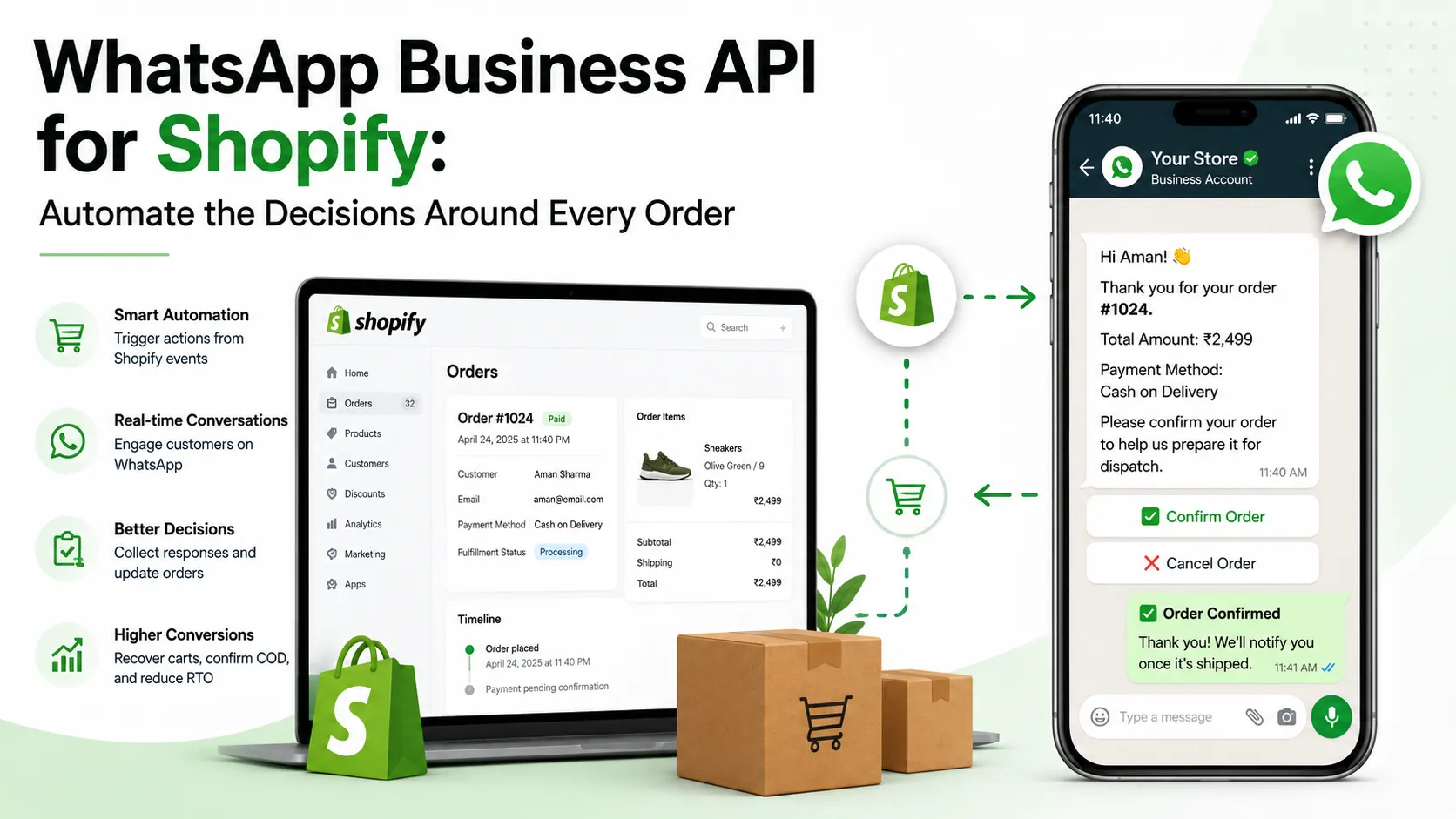
Shopify knows the order. Does the conversation?

A customer in Pune places a cash-on-delivery order at 11:40 p.m. Shopify records the product, amount, address and payment method. By morning, the warehouse can pack it.
One question remains: does the customer intend to receive it?
Another shopper leaves a $38 skincare set at checkout. Shopify stores the abandoned checkout and recovery link. It cannot tell whether she left because the delivery date was unclear, her payment failed or she wanted to ask if the product suits her skin.
A third customer in Dubai has paid. The parcel is out for delivery, but the driver needs the building entrance. The order status is correct. The delivery can still fail.
These are decision gaps around an order.
Most guides solve them with a feature list: cart recovery, COD confirmation, tracking alerts, chatbots and catalogues. A store can switch on every feature and still create a poor journey. A cart message can arrive after payment. A confirmed COD order can be treated like a risky first order. A tracking bot can repeat stale courier data. A support flow can ask five questions before showing the order it already has.
Optimized Shopify automation reads the current order state, gives the customer a useful choice and records what happens next:
Shopify event → Business decision → WhatsApp action → Customer response → Updated order state
Four decisions matter most:
Should this shopper receive a cart reminder?
Should this COD order move to dispatch?
What does the customer need before delivery?
Can automation answer, or should a person take over?
India and the UAE share this structure, but their pressure points differ. COD and return-to-origin risk matter more for many Indian stores. UAE journeys often need better delivery coordination, language choice and local service. One Shopify setup can support both without treating both markets as identical.
What integration does behind the chat
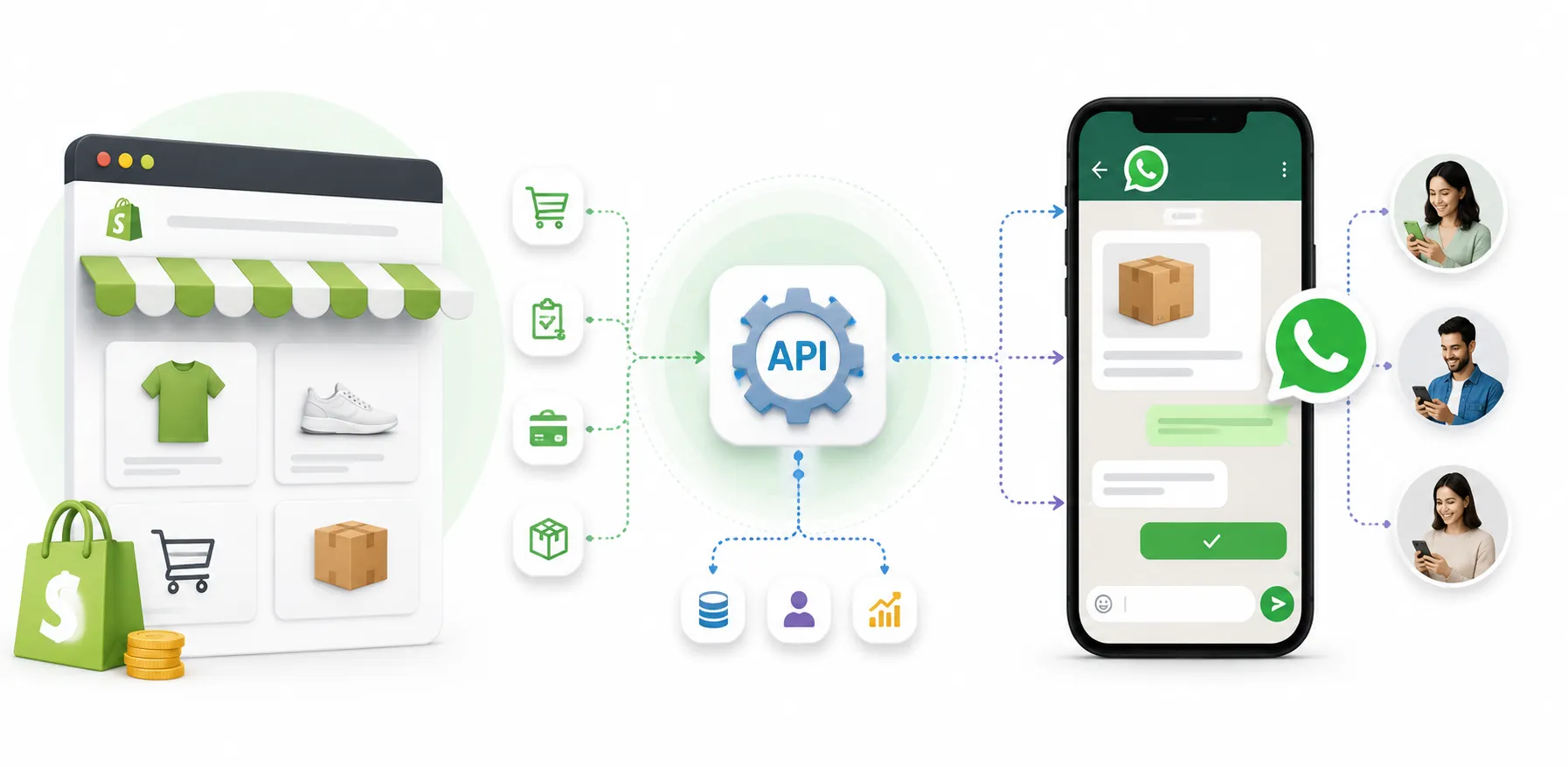
The official product is called the WhatsApp Business Platform, though “WhatsApp Business API” remains the common search term. When connected to Shopify, it lets store events trigger approved messages. Customer replies can then update Shopify or send work to another system.
Shopify remains the source of truth for products, checkouts, orders, payments and fulfilment. WhatsApp carries the message. The integration decides how both systems exchange data.
Suppose Shopify creates a COD order. The integration checks the payment method and customer rules. It sends a confirmation template with the order number and amount. A tap on Confirm order can add a COD-Verified tag. The warehouse receives a clearer signal before packing.
For an abandoned checkout, the same layer checks whether the purchase is still incomplete. It also checks consent, timing and suppression rules. If the shopper qualifies, the message includes the right recovery link. A completed purchase stops the flow.
Shopify webhooks make many of these triggers possible. Abandoned checkout data can include products, customer details and a recovery URL. Courier, CRM, payment and helpdesk systems may supply other parts of the journey.
1. Send a Shopify Order Update
Business App: You have to manually type and send every order update to customers one by one.
Business API: Updates are fully automated. When an order status changes in Shopify, the API automatically triggers and sends a notification to the customer.
2. Check COD Intent
Business App: Your team has to manually call or message customers to confirm Cash on Delivery orders.
Business API: Automated button messages are sent to customers. They can simply click a button to confirm or cancel, and the response is automatically recorded in your system.
3. Recover an Unfinished Checkout
Business App: You have to manually track abandoned carts and send reminder messages yourself.
Business API: Automated messages with direct checkout links are sent automatically after a set time to help recover lost sales.
4. Fetch Order Status in Support
Business App: There is no built-in integration, so support agents must manually check Shopify or courier websites to find tracking details.
Business API: The system automatically pulls order and tracking status directly from Shopify or courier databases into the chat.
5. Share Chats Across a Team
Business App: Features are limited because only a few devices can be linked at the same time.
Business API: Offers a shared team inbox with automatic chat routing and individual user permissions, allowing a larger team to manage support from a single number.
The API is not useful because it sends at scale. It is useful because the message can understand what happened in the store.

Decision 1: Should this shopper receive a cart reminder?
An unfinished checkout should not trigger a message by itself.
The store first needs a usable contact and valid WhatsApp opt-in. Shopify treats a checkout as abandoned after the shopper has shared contact details but has not completed the purchase. A phone number alone is not permission for marketing.
Next comes timing. A $18 refill and a $900 sofa do not have the same buying cycle. The refill shopper may have been distracted. The furniture shopper may need a day to measure the room or discuss the purchase.
The order state must also be checked before sending. A payment may have been completed through another attempt. The shopper may have rebuilt the cart with a different variant. A support agent may already be helping.
Contact available + valid opt-in + checkout still open + delay reached + no active support case = send reminder
Remove one condition, and the message should wait or stop.
Reopen the decision
This message adds little:
You left something in your cart. Complete your purchase now.
The store knows more. It can keep that context:
Hi Sara, the Daily Barrier Set from your checkout is still available. Your total is $38. If you need help with delivery or product suitability, reply here. Button: Return to checkout
The button should open the saved checkout. A reply should show the team which product Sara considered.
Why did she leave? Perhaps delivery before a flight was unclear. An Indian shopper may want COD. Someone else may have a payment failure or sizing question. These replies can improve the store. Frequent delivery questions point to unclear shipping information. Repeated size questions expose a weak product page. Payment questions may reveal a gateway issue.
Cart recovery becomes useful research when the store records why people reply.
Do not train shoppers to wait for a coupon

A discount can recover an order and weaken future pricing. The first reminder should help the shopper continue. A later offer may suit a defined segment or campaign, but it should not appear because the automation has nothing else to say.
One well-timed reminder can be enough. A second should only go out while the checkout remains open and the message adds value. Stock may be low. A payment option may now be available. Three reminders in an hour show persistence, not understanding.
Track completed and retained orders, revenue after returns, questions raised and opt-outs. A recovered order cancelled the next day is not equal to a completed sale.
Decision 2: Should this COD order move to dispatch?
Cash on delivery gives shoppers a low-friction way to buy. It also asks the store to spend before it gets paid.
Shopify creates a COD order through a manual payment method. The warehouse can reserve stock and pack the parcel. The courier may carry it across cities. Payment arrives only if delivery succeeds.
If delivery fails, the parcel can return to its origin. The seller may bear forward and reverse shipping costs. The item also stays outside sellable stock during the trip.
For Indian Shopify stores with meaningful COD volume, the most useful WhatsApp workflow may happen before dispatch:
COD order → Intent check → Confirm, change or cancel → Shopify update → Fulfilment decision
Hi Arjun, we received your cash-on-delivery order #1842 for $42. Please confirm the order and delivery details before we prepare it. Buttons: Confirm order | Review details | Cancel order
A confirmation can add a Shopify tag. A cancellation can stop fulfilment early. Review details can let the customer correct an address or reach support.
The store has avoided a call and collected a useful signal. It has not removed delivery risk.
Not every COD buyer needs the same check
A first-time buyer placing a high-value order differs from a repeat customer with five successful deliveries. Useful signals include past delivery history, address quality, order value, duplicate orders, message response and courier performance in the area.
A low-risk repeat buyer may move ahead after a simple confirmation. A high-risk case may need a call, small advance payment or prepaid option. No response can lead to one reminder or manual review. It should not always mean instant cancellation.
The store must set the rule from its own data. Claims such as “WhatsApp cuts RTO by 40%” mean little without the order mix, courier network and verification method behind them.
The reply must also reach fulfilment. Shopify tags can separate confirmed, cancelled and pending orders. The warehouse can prioritise verified orders. Support can see address changes. Later, the store can compare RTO across confirmed, unconfirmed and reviewed orders.
The UAE may need a different question

COD also appears in UAE e-commerce, but an Indian risk flow should not be copied without checking the payment mix and delivery process. A UAE store may gain more from confirming the delivery place and time.
The question is not only “Will you accept this order?” It can be “Can the courier complete delivery at your tower, office, hotel or community?”
Decision 3: What does the customer need before delivery?
After payment or COD approval, the store often treats the sale as complete. The customer now wants certainty.
They do not care that Shopify says “fulfilled” if the courier has not collected the parcel. They do not need five messages repeating one status. They need the latest true update and a way to act.
Order received
Confirm the items, total, payment method and address. The customer can catch the wrong size or location before fulfilment starts.
Dispatched
Wait for a working tracking link. Show the courier and delivery window. A tracking button that opens an empty page adds frustration.
Out for delivery
The customer may need to be available, prepare the COD amount or share access details. Make those actions easy.
Delivery exception
A failed attempt or delay gives the store a short window to help. Offer rescheduling, address correction or support before the parcel returns.
Delivered
Delivery can lead to setup help, care instructions, warranty registration or an exchange. A review request should wait until the customer has used the product.
UAE localisation is operational

The UAE serves many language groups. English and Arabic are central, while other languages also appear in support. Localisation is not the same template translated five times.
The flow should ask or detect language preference, save it and route the chat correctly. A chatbot can handle common mixed-language requests, but it should hand over when meaning is unclear.
Delivery details also change by location. An “out for delivery” message can offer a direct way to share gate, reception or timing instructions:
Your order #DX218 is due today. If the driver needs building, reception or timing instructions, reply here. Button: Track order
The store may need separate courier rules by emirate, warehouse or delivery zone. Public holidays, support hours and seasonal peaks can affect timing. These details belong inside the workflow, not inside a “UAE customers” label.
1. Before Dispatch (Order Confirmation & Risk Check)
India Focus: The primary goal before shipping is to confirm Cash on Delivery (COD) intent, verify the shipping address, and assess order risk. The main actions are asking the customer to confirm or review the order, calling them if needed, or offering a prepaid discount to convert COD to online payment.
UAE Focus: The focus is on confirming the exact delivery place, access points, and preferred timing. Useful actions include tracking details, updating delivery instructions, and routing customer chats based on their preferred language.
2. Out for Delivery (Last-Mile Coordination)
India Focus: Drivers need to check customer availability, confirm the exact COD amount to be collected, and ask for local landmarks to find the house easily.
UAE Focus: Focuses on logistics like building access (e.g., gate codes), reception drop-offs, and matching the driver's arrival with the customer's personal schedule.
3. Support Routing (Customer Care Optimization)
India Focus: Customer queries are routed based on regional language preferences and local operations across different states.
UAE Focus: Support is routed by language preferences (e.g., Arabic, English, Hindi) and specific delivery zones across different Emirates.
Accuracy matters more than frequency. Shopify may own the order and payment state. The courier owns movement and delivery estimates. The helpdesk owns an open complaint. WhatsApp should show the best available answer, not the easiest field to fetch.
Decision 4: Can automation answer, or should a person take over?
A customer in Delhi asks, “Refund kab tak aayega?” A customer in Dubai says, “I received the wrong colour.” Their phone numbers and Shopify history may already identify the order.
A weak chatbot ignores that context. It asks for an order number, email, issue type and reason before checking anything.
A connected chatbot starts with what the store knows. It can show recent orders linked to the number and ask the customer to select one. Shopify supplies the payment and fulfilment state. The customer adds only what is missing.
Routine questions can cover order status, return steps, product stock, cancellation rules and basic product care. Delayed refunds, damaged goods, missing items, payment disputes and conflicting data need a person.
The handover should carry the order, chat history, chosen issue and uploaded images. The customer should not repeat the case after an agent joins.
A safe bot knows when it does not know
If the courier has not supplied an estimate, the bot should say so and offer the next action. If several orders match, the customer should choose one. If a refund cannot be verified, a person should take over.
The goal is not the highest automation rate. It is the correct next step with the least repetition.
Product discovery follows the same rule. If someone asks for sunscreen for oily skin under $25, the bot can ask one useful question and return two or three suitable products. It should not dump the full catalogue. Shopify must supply current prices, variants and stock.
Repeat-purchase messages also need context. A ninety-day supply should not trigger a refill prompt after two weeks. Returned products and open complaints should suppress the campaign.
Consent is part of every decision

WhatsApp requires opt-in before a business initiates messages. Business-initiated messages generally use approved templates. Meta groups messages into marketing, utility, authentication and service categories.
An order confirmation can be utility when it stays tied to the purchase. Add a discount for the next order, and promotional intent may make it marketing. Cart reminders and product recommendations are normally marketing messages.
A phone number given for delivery should not quietly become permission for unlimited offers. The consent line should explain what the shopper will receive. Opt-out handling must work across campaigns and support tools.
Stores in India and the UAE should review the privacy and consumer rules that apply to their customers. This article is not legal advice.
Build the integration around one decision

1. Choose the point of loss
An Indian D2C store may begin with COD orders. A UAE retailer may start with delivery questions or language routing. A prepaid brand with high checkout traffic may choose cart recovery.
2. Choose an official connection
Use a Shopify app, WhatsApp solution provider or custom setup built with Shopify APIs and webhooks. Review every data permission. Access to orders, customers and products should have a clear purpose.
3. Map the data
Decide where each field comes from: order number, product, amount, payment state, tracking link and delivery estimate. Define separate rules where India and the UAE use different couriers or teams.
4. Write the rule before the message
Define who qualifies, when the trigger runs and what stops it. Cart recovery stops after purchase or opt-out. COD checking stops after confirmation, cancellation or payment change.
5. Design the action and handover
Buttons should lead to the correct record or workflow. Decide which replies the bot can handle and which team gets the rest. Support hours and languages may differ by market.
6. Test awkward cases
Test expired links, several open orders, split shipments, late courier data, no COD response, opt-out and unsupported languages. The ideal path is rarely where automation breaks.
7. Launch narrowly
Begin with one flow and controlled audience. Compare Shopify outcomes before and after launch. Expand after the order state, reply routing and team action remain reliable.
What the setup costs
Two workflows, written as actual store rules
The difference between a feature and a working automation becomes clear when the rule is written from start to finish.
India: a COD order worth $42
Shopify creates the order and identifies COD as the payment method. The customer has no failed-delivery history, but this is their first purchase. The system waits a short period in case the customer cancels or contacts support on their own.
The confirmation template then shows the order number, amount and delivery details. Three actions are available: confirm, review or cancel.
If the customer confirms, Shopify receives the COD-Verified tag. The warehouse can include the order in its next packing run. If the customer selects Review details, fulfilment pauses while the address or product issue is handled. A cancellation stops the order before packing.
No response does not produce an endless reminder series. The system sends one follow-up at the time chosen by the store. A high-value or unusual order can move to a call queue. A low-risk order may still proceed under the brand’s normal policy.
Once dispatched, the verification result stays attached to the order. Delivery data can later show whether confirmed orders, reviewed orders and non-responsive orders behave differently. That evidence helps the store improve its rules.
The useful output is not “1,000 COD messages sent.” It is a cleaner fulfilment queue and a better view of which orders need attention.
UAE: a prepaid delivery to a Dubai tower
Shopify creates a paid order and sends the first confirmation. The customer has chosen English, so later templates use the same preference. Fulfilment begins when stock is allocated.
The dispatch update waits until the courier provides a valid tracking link. The next message gives the delivery window rather than repeating “shipped.” On the delivery day, WhatsApp business api offers a quick way to add building, reception or access instructions.
If the customer replies with a new location, the bot checks whether the order can still be changed. Before courier handover, the update can follow the normal address process. After handover, the request moves to an agent or courier workflow. The bot does not promise a change it cannot complete.
When the courier reports a failed attempt, the customer receives a reschedule or support option. The store sees the exception in the same journey. If delivery succeeds, exception reminders stop. Product-care guidance may follow later, while the review request waits until the customer has had time to use the item.
This flow is useful because each message reflects the current order state. Language, delivery location and courier timing shape the action. “UAE localisation” becomes part of operations instead of a translated greeting.
What WhatsApp Business API for Shopify costs

The monthly cost has three layers: Meta’s message charges, the solution provider’s fee and the integration cost.
Meta currently charges according to the message category and the recipient’s market, and charges apply to delivered messages. India and the UAE have different market rates. Prices and category rules can change, so the live Meta rate card should be checked before this article is published and again before a budget is approved.
Provider pricing may include a monthly plan, agent seats, automation features, chatbot usage or a per-message markup. Custom Shopify work can add setup and maintenance costs. For context, some global API providers publish an additional platform charge around $0.005 per inbound or outbound message, while other providers bundle tooling into monthly plans. This figure is an example of provider pricing, not a universal WhatsApp rate.
A useful budget model is:
Meta delivery charges + provider/platform fee + Shopify app or integration cost + support seats + ongoing maintenance
Do not compare providers by the first monthly number on the pricing page. Check what happens when message volume rises, how many users can access the inbox, which automation features are included and whether Meta charges are passed through with a markup.
The message category also changes the economics. A pure order update and a cart recovery message may look similar to the store team, but one can be utility and the other marketing. Promotional wording added to a transactional template can affect its classification.
Pricing rules are scheduled to evolve again, so the final published version should date-stamp this section rather than presenting any rate as permanent.
The numbers that reveal whether the journey improved
Message delivery and read rates are not enough. They show that communication travelled, not that the store worked better.
Each workflow needs a Shopify or operational outcome:
Cart recovery: recovered orders, retained revenue, reply reasons and opt-outs
COD verification: confirmation rate, cancellation before dispatch, non-response and RTO by verification status
Order updates: tracking-link use, delivery exceptions and order-status tickets
Customer support: resolution time, repeat contact, handover rate and customer satisfaction
Product discovery: product views, checkout starts and completed orders from recommendations
Repeat purchase: reorder rate, revenue after discounts, returns and unsubscribe rate
Compare confirmed and unconfirmed COD orders instead of crediting the automation for every order that happens to arrive. Compare support demand before and after accurate tracking updates. Review the questions customers ask after a cart reminder; those replies can explain conversion friction more clearly than a click rate.
The most useful dashboard connects message activity with order state. WhatsApp shows what the customer did in the conversation. Shopify shows what happened to the purchase. Both are needed to judge the journey.
Where Anantya.ai fits
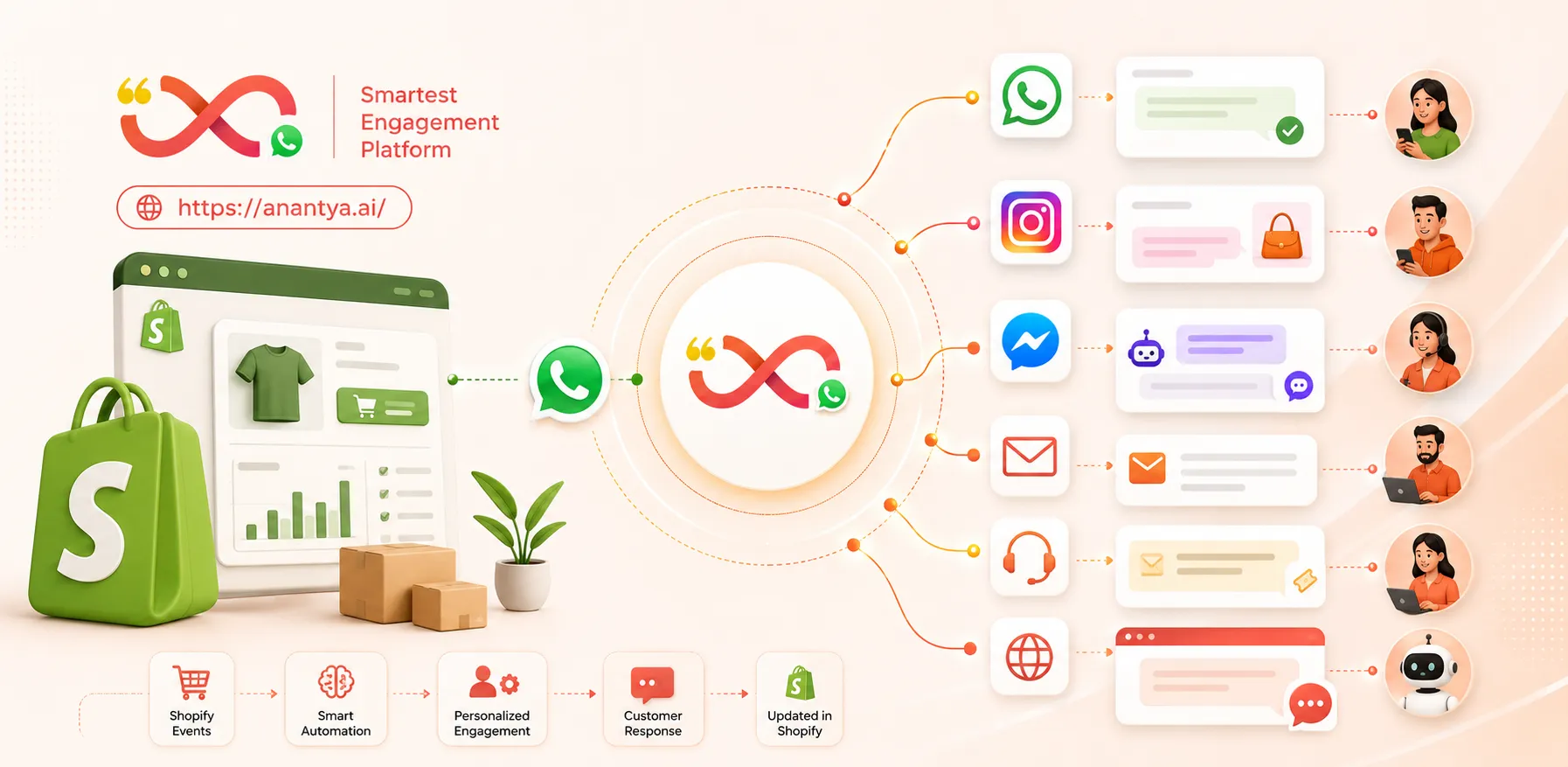
Anantya.ai can connect Shopify events with WhatsApp Business API workflows across the customer journey. Abandoned checkout recovery, COD confirmation, order updates, catalogue-led discovery and customer support can run through one connected setup, with chatbot automation and agent handover available from a shared team inbox.
For brands operating across India and the UAE, workflows can be adapted by market rather than copied blindly. The store can keep central visibility while using different templates, languages, courier connections, support queues and escalation rules where the local journey requires them.
The useful starting point is not “Which ten automations can we switch on?” It is “Where does this order currently lose context?” Once that point is clear, the integration can connect the right Shopify event, the right WhatsApp message and the right team action.
Final takeaway
Shopify knows what the customer viewed, ordered, paid for and received. The gap appears when that information does not reach the conversation where the customer is making a decision.
WhatsApp Business API closes that gap when it is built around the order rather than added as another broadcast channel. An unfinished checkout can become a supported purchase. A COD order can be checked before dispatch. Delivery questions can use live order data. Product discovery, support and repeat purchase can continue without losing the history of the customer.
India and the UAE do not need identical workflows. Both markets benefit from the same principle: every message should understand what has already happened and make the next step easier.
Sources and references
Meta, “WhatsApp Business Platform Features”: https://business.whatsapp.com/products/business-platform-features
Meta, “WhatsApp Business Platform Pricing”: https://business.whatsapp.com/products/platform-pricing
Shopify Help Center, “Recovering abandoned checkouts”: https://help.shopify.com/en/manual/promoting-marketing/create-marketing/abandoned-checkouts
Shopify Developers, “AbandonedCheckout”: https://shopify.dev/docs/api/admin-graphql/latest/objects/AbandonedCheckout
Shopify Developers, “Webhooks”: https://shopify.dev/docs/api/webhooks/latest
Shopify Help Center, “Manual payment methods”: https://help.shopify.com/en/manual/payments/manual-payments
UAE Government, “Consumer protection”: https://u.ae/en/information-and-services/justice-safety-and-the-law/consumer-protection
UAE Government, “Data protection laws”: https://u.ae/en/about-the-uae/digital-uae/data/data-protection-laws
Twilio, “WhatsApp Messaging Pricing”: https://www.twilio.com/en-us/whatsapp/pricing